
How GroupCart works
One cart. Everyone adds. One checkout.
GroupCart lets a group of people fill one cart together on a Shopify store, and one of them checks out for everyone in a single order.
Try it free for 30 daysFor shoppers: 5 steps
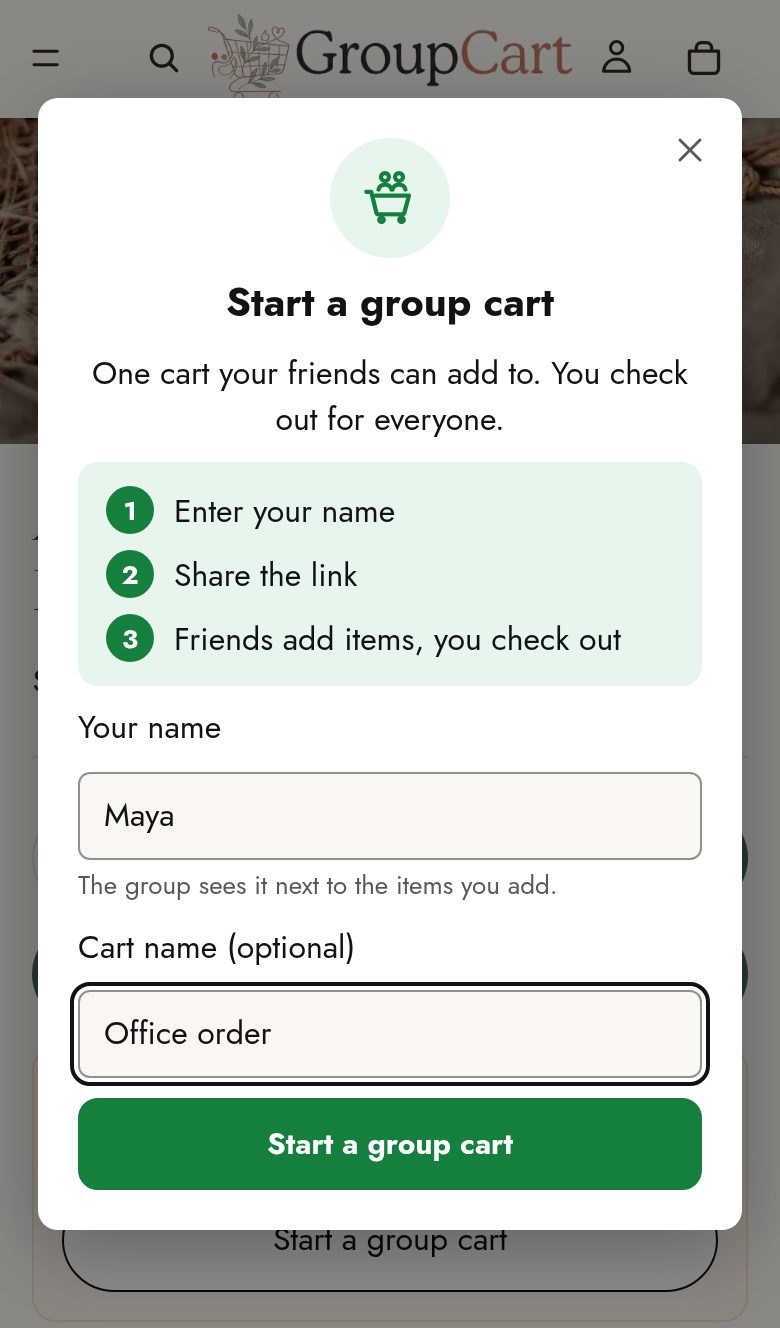
Start a group cart
On a product page, tap Start a group cart. Type your name, and optionally a name for the cart like “Office order” or “Dana’s birthday”. There’s no sign-up, no email and no app to install.
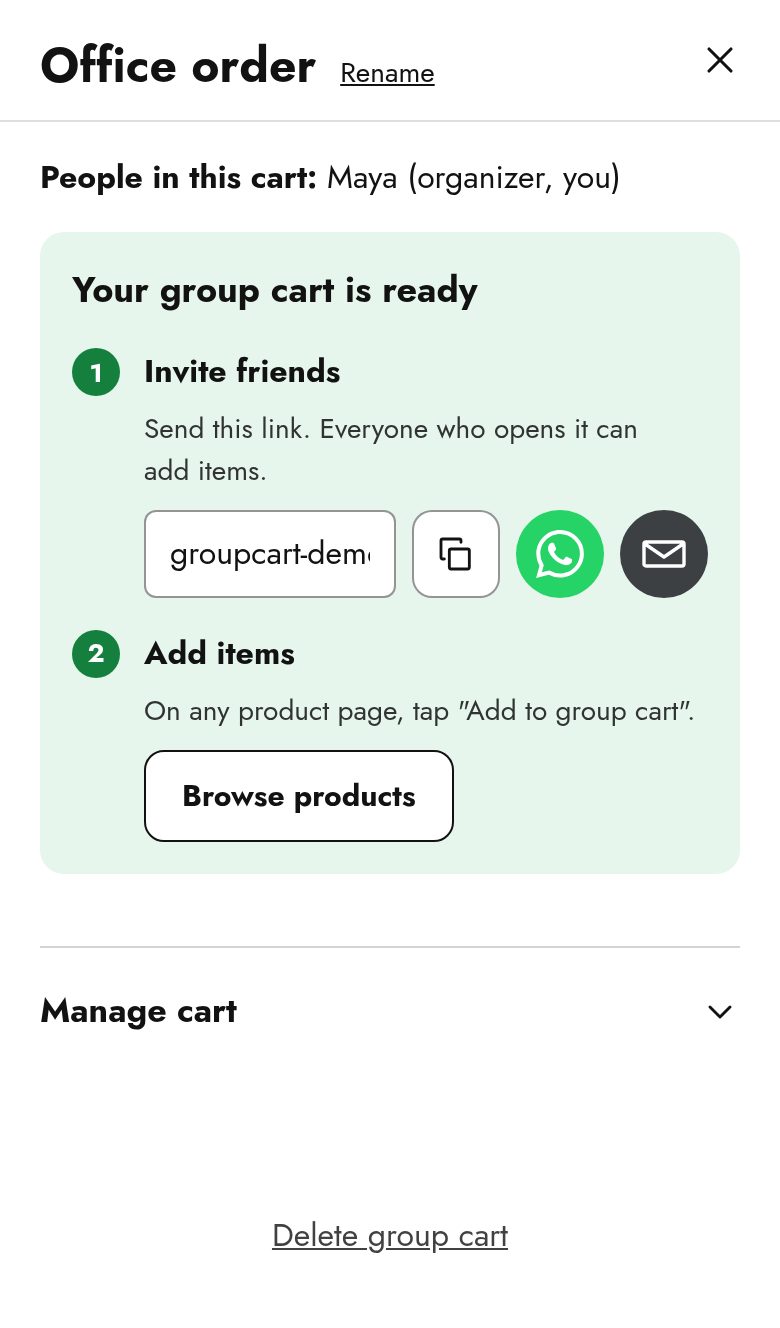
Invite your friends
Your cart opens in a panel beside the store: “Your group cart is ready.” Copy the link, or send it by WhatsApp, email or your phone’s share menu.
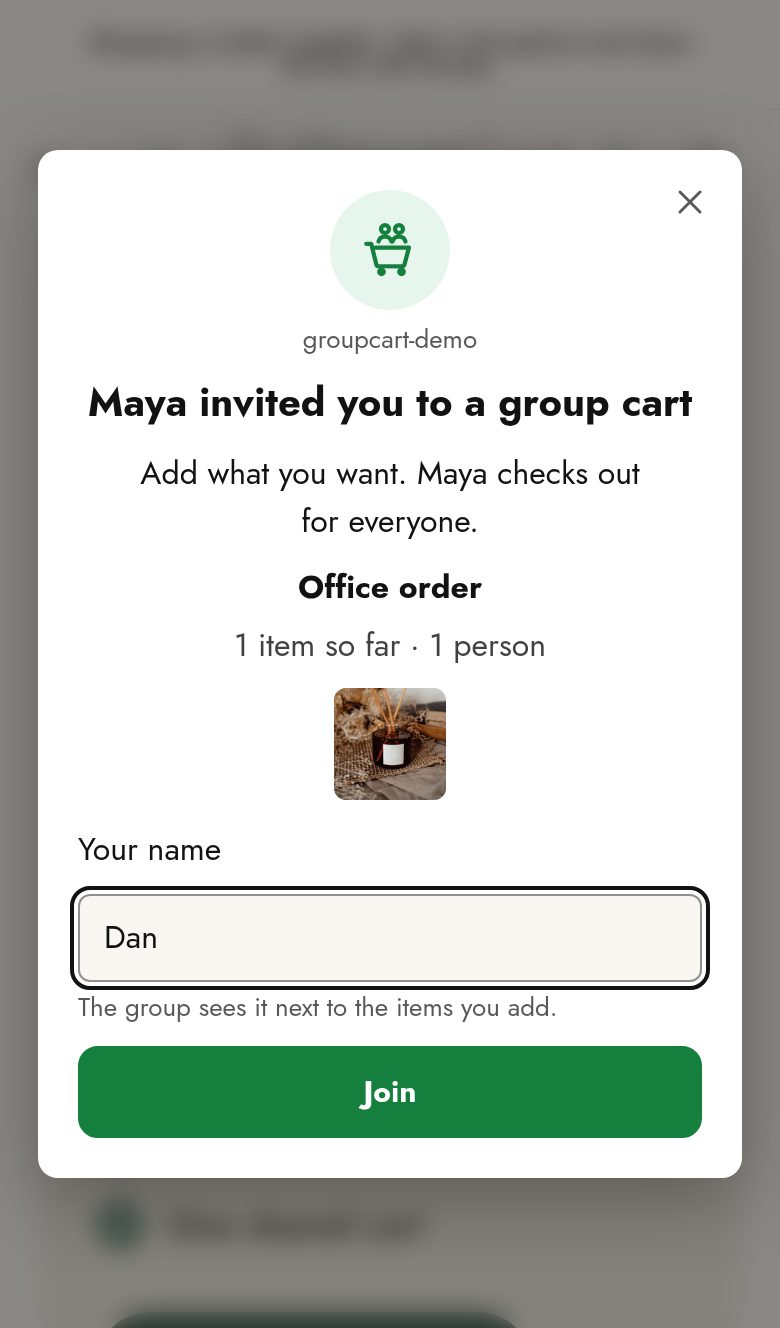
Everyone adds their picks
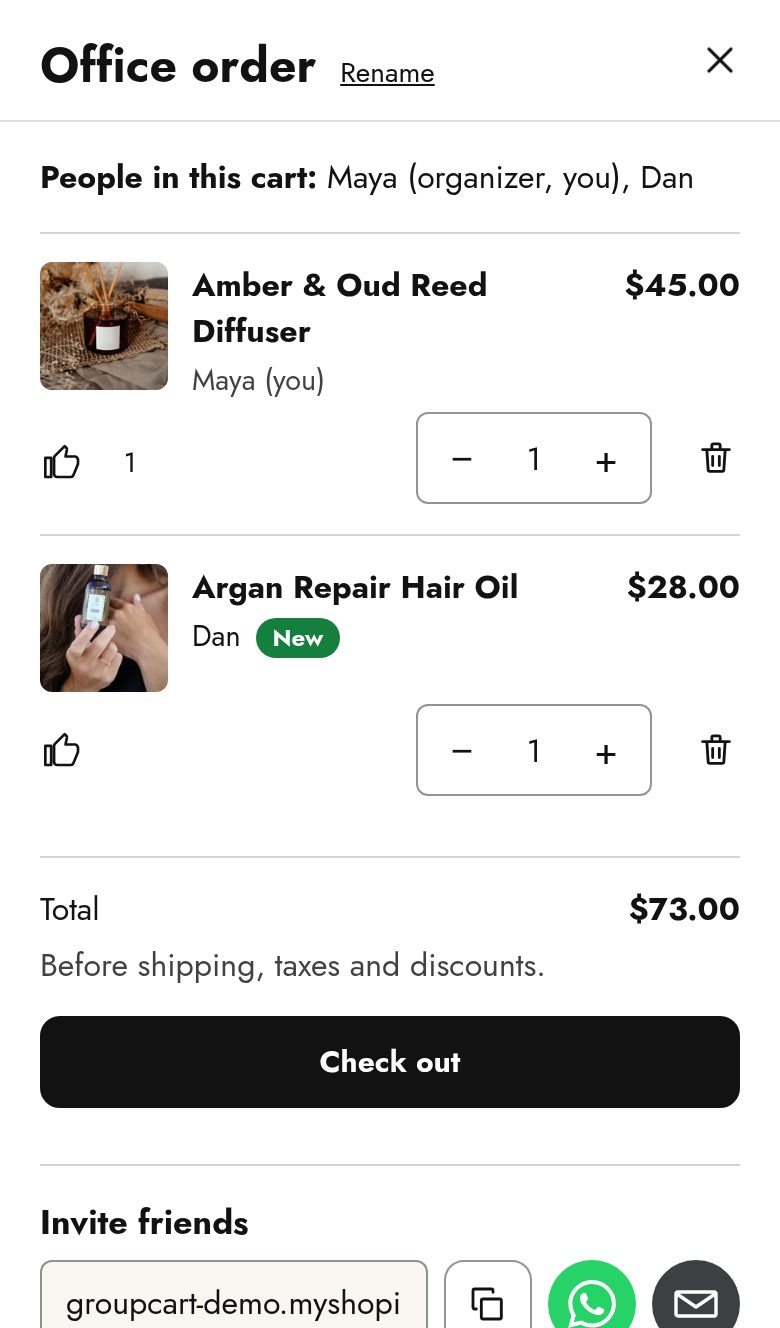
Friends open the link, see “[Name] invited you to a group cart”, type a name and press Join. Then they shop the store as usual and tap Add to group cart on anything they want, choosing the size or colour on the product page. The cart updates live for everyone, and every item shows who added it.
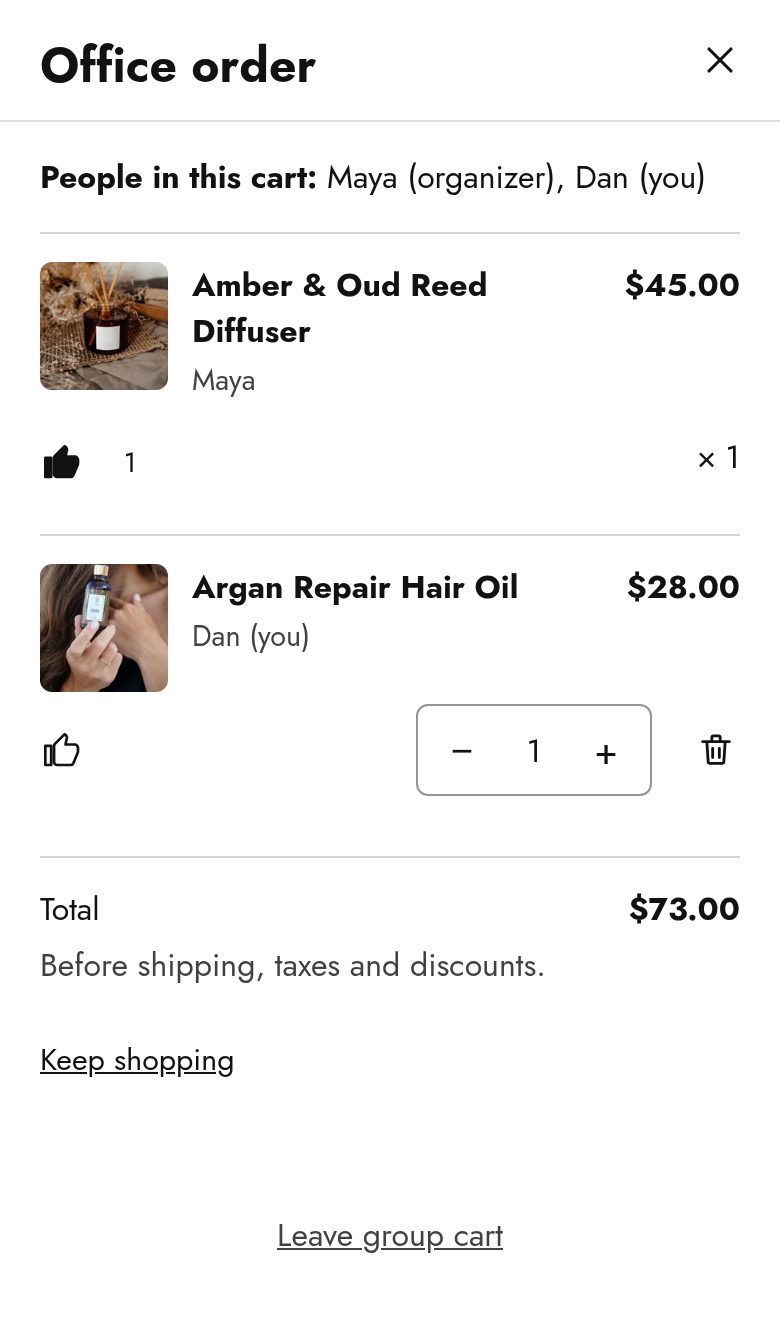
Like, compare, decide
Tap the thumbs-up on items you like. The most liked items rise to the top, so the group’s favourites stand out. Items others added since you last looked are marked New.
Check out once
When the cart is ready, the organizer presses Check out and pays once, in the store’s regular Shopify checkout. Back on the store, the organizer confirms the order and the cart closes for everyone. With order tracking on, it closes by itself and everyone sees “The order for this group cart has been placed.”
Organizer tools
- Edit anything: change or remove any item. Friends can change only their own.
- Set a deadline: “Add items until Friday 17:00.” The cart locks by itself when the time passes.
- Lock the cart: freeze the items before paying. Friends can still see the cart and like items.
- Manage from another device: the private organizer link opens your cart on another phone or computer.
- Sold out: an item that becomes unavailable is greyed out and left out of checkout, and you’re told before you pay.
For friends
- Join with just a name.
- Add, change and remove your own items.
- Leave any time. Your items stay in the cart under your name.
- While the organizer pays you’ll see “[Name] is checking out”.
Good to know
- Up to 20 people and 100 different items per cart.
- Works in the browser on desktop and phone.
- Your own regular cart is never touched.
- Only the organizer checks out, and splitting payment isn’t included.
- A cart nobody touches for 30 days is deleted.
Made for store owners
What you get
Bigger orders
Several people’s items in one checkout.
New visitors
Every shared link brings friends to your store.
One normal Shopify order
Payment, taxes, shipping and discounts are Shopify’s own, and fulfilment doesn’t change. Each line shows Added by: [name], and the order shows Group cart: [cart name].
Your dashboard: see what group carts bring you
Open Apps → GroupCart in your Shopify admin and you’ll see:
- Group carts started, and how many became orders
- Sales from group carts (with order tracking on)
- The average group cart: shoppers per cart, items per cart, and the order value
- The path from cart to order: started → items added → reached checkout → ordered
- Group carts per day, so you can spot trends
Order tracking is optional and off by default, and one click turns it on. It closes each cart when its order is placed and shows real orders and their value. It reads only GroupCart’s own mark on an order and the order’s total and currency, and never customer names, addresses, emails or phone numbers.
Make it look like your store
GroupCart is on and working as soon as you switch it on, and it copies the look of your own “Add to cart” button automatically. If you want more control, the theme editor lets you choose:
- Button colors and corners
- The card on product pages
- The colour of the cart panel’s buttons (your brand accent)
- The floating “Group cart” button: its style and where it sits on the screen
The theme editor shows a sample group cart with your own products, so every change is visible straight away. Your store’s name and logo also appear on the invitation your shoppers’ friends receive.
Set up in about a minute
- Install the app and choose a plan (the GroupCart plan has a 30-day free trial).
- In Online Store → Themes → Customize → App embeds, turn on Group cart and save.
- Optional: adjust the colours and button position, and turn on order tracking.
Safe by design
- Checkout is Shopify’s: payment never passes through GroupCart.
- No personal details: shoppers give a display name, nothing else.
- It can’t break your store: if GroupCart can’t be reached, your store, cart and checkout work as always.
Try it free for 30 days
Questions? See Support or read our Privacy Policy.